
How to Optimize Your Google Business Profile for Dentists
If your Google Business Profile isn’t bringing in calls, new patients, and website visits — it’s not optimized correctly.
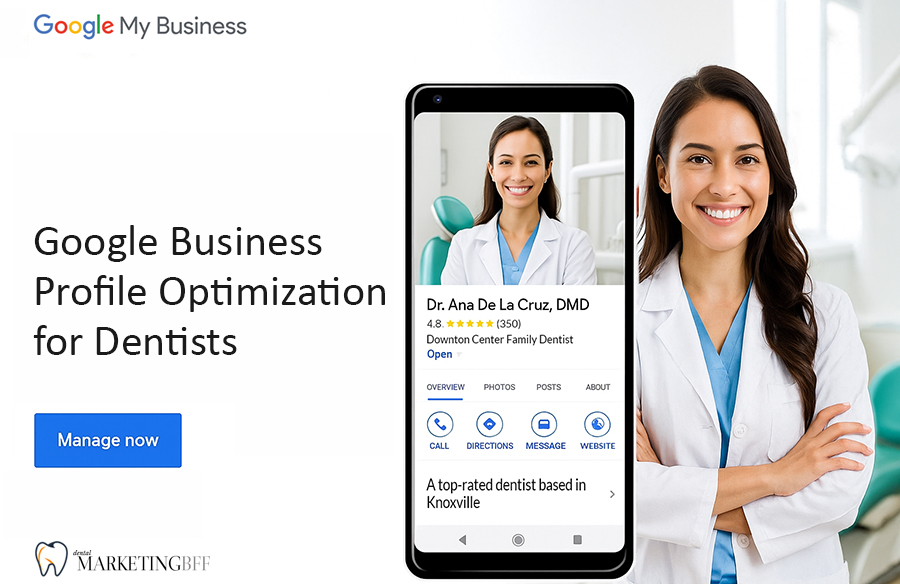
Your Google Business Profile (GBP) is the most important local SEO asset your practice has. It’s what shows up when patients search “dentist near me” — before they ever click your website.
An optimized GBP can help you appear in the Google Map Pack, boost calls, and improve your practice’s reputation. Let’s go over how to do that, step-by-step.
Key Takeaways
- Google Business Profile (GBP) is your #1 tool for local visibility.
- The Map Pack listings get over 50% of all local search clicks.
- Photos, categories, reviews, and posts directly affect your rankings.
- Regular updates and responses to reviews signal trust to Google.
- Your GBP should reflect your website, NAP info, and branding exactly.

See How Our Agency Can Help You Attract More Patients
- SEO — dominate Google and Local Map searches.
- Website Design — convert traffic into booked appointments.
- Content Marketing — we create content that gets traffic.
Why Your Google Business Profile Matters
When patients search for a nearby dentist, Google often shows three top results — the Map Pack. Those listings come directly from your GBP, not your website.
If your profile is incomplete, outdated, or inconsistent, you’re invisible to local searchers.
In fact, Google found that:
- Businesses with complete profiles get 70% more visits.
- Listings with photos receive 42% more direction requests.
- Businesses that respond to reviews see 35% more conversions.
Your GBP isn’t just a directory listing — it’s a powerful local SEO engine.
What an Optimized Google Business Profile Includes
1. Business Name
Use your real, official business name — not keyword-stuffed variations. Example: “Dean Cosmetic Dentistry,” not “Best Pediatric Dentist in Knoxville TN.”
2. Categories
Choose a primary category (Dentist) and 2–3 secondary categories such as:
- Pediatric Dentist
- Cosmetic Dentist
- Emergency Dental Service
3. Business Description
Add a keyword-optimized description (750 characters max) that explains your services and location.
Example: “Dean Cosmetic Dentistry in Knoxville, TN specializes in one visit crowns, dental implants, and gentle laser dentistry.”
4. Photos and Videos
Upload high-quality images of your office, team, lobby, and services. Google prioritizes listings with visual activity.
5. Services + Products
List every service you offer — teeth cleaning, implants, bridges, etc. — with short descriptions.
6. Hours + Appointments
Set accurate hours and link your online scheduling URL.
7. Posts + Updates
Post weekly about specials, before-and-after results, or community involvement. Active profiles outperform stagnant ones.
8. Reviews
Respond to all reviews — good or bad — within 24–48 hours. Include relevant keywords in your replies naturally.
Reviews are one of the strongest trust signals for Google and new patients alike — see why in Google Reviews: How They Impact Your Dental SEO.
9. Messaging + Call Tracking
Enable messaging for quick patient questions and use UTM links or tracking numbers to measure ROI.
10. Consistent NAP
Make sure your Name, Address, and Phone are identical everywhere.
Once your profile is optimized, make sure the rest of your web listings match — check out Local Citations: Why NAP Consistency Matters for Dental Clinics.
How Google Uses Your Profile to Rank You
Google’s local algorithm weighs your GBP against three core ranking factors:
- Relevance — Do your categories, keywords, and services match the query?
- Distance — How close is your office to the searcher’s location?
- Prominence — Do you have strong reviews, citations, and engagement?
Optimizing your GBP checks all three boxes — which means more calls, visits, and patient bookings.
10 Tips to Optimize Your Google Business Profile for Dental SEO
- Add primary and secondary categories that match your services.
- Write a keyword-rich business description using your city name.
- Upload high-quality photos every month.
- Post updates weekly (offers, dental tips, announcements).
- Respond to every review professionally.
- Add tracking links to your website button.
- Include your main service areas in the GBP service section.
- Add custom Q&A content that addresses common patient questions.
- Make sure your website footer matches your GBP info.
- Track performance using GBP Insights monthly.
Common Mistakes Dentists Make with Google Business Profiles
- Using a different business name than on the website
- Forgetting to add service categories or hours
- Ignoring review responses
- Adding duplicate listings
- Leaving “appointment links” empty
- Using stock photos instead of real office images
These errors tell Google your business is inactive or unreliable — and that can cost you your Map Pack spot.
Pro Tip: Sync GBP with Your Website
To maximize SEO power, your website should reflect the same details as your GBP:
- NAP info (Name, Address, Phone)
- Office hours
- Services
- Location pages
Also, embed your Google Map on your contact page. This improves both user experience and crawlability for local signals.
FAQs
Google Business Profile Pricing (Dental Marketing BFF)
One-Time GBP Optimization — $1,250
We turn your Google Business Profile into a high-performing local SEO asset—optimized to rank higher, build trust faster, and convert more local searches into booked new patients.
This is not a “setup.” This is a strategic overhaul designed to generate results.
GBP Growth Plan (Ongoing) — $750/month
Your GBP isn’t a set-it-and-forget-it listing. Rankings shift. Competitors push harder. And inactive profiles get buried.
We keep your profile active, optimized, and consistently performing so it keeps generating new patient leads month after month.
Monthly Activity + Optimization Includes:
- 1 optimized GBP post per week
- 2 photo uploads per month
- Review monitoring (alerts)
- Q&A monitoring
- Monthly optimization check + updates
- Monthly performance summary
Ready to get more calls from Google? Let’s optimize your Google listing so you rank higher, look more credible, and start getting consistent new patient leads from local search.
**Limited availability — we only take on a small number of dental practices per area to avoid competition overlap.**
Conclusion: Your Google Business Profile Is Your Digital Front Door
A well-optimized Google Business Profile isn’t just a listing — it’s a patient magnet. When your categories, photos, reviews, and posts are consistent and active, Google rewards you with higher visibility and more calls from nearby patients.
By keeping your GBP updated, accurate, and engaging, you’ll stand out in the Map Pack and make it easy for patients to choose your practice first.
Ready to make your Google Business Profile a 24/7 new-patient generator? Contact Dental Marketing BFF today →
